




Hi there! How can we help you today?
SEO & Website Speed Optimization
-
Home
-
SEO & Website Speed Optimization
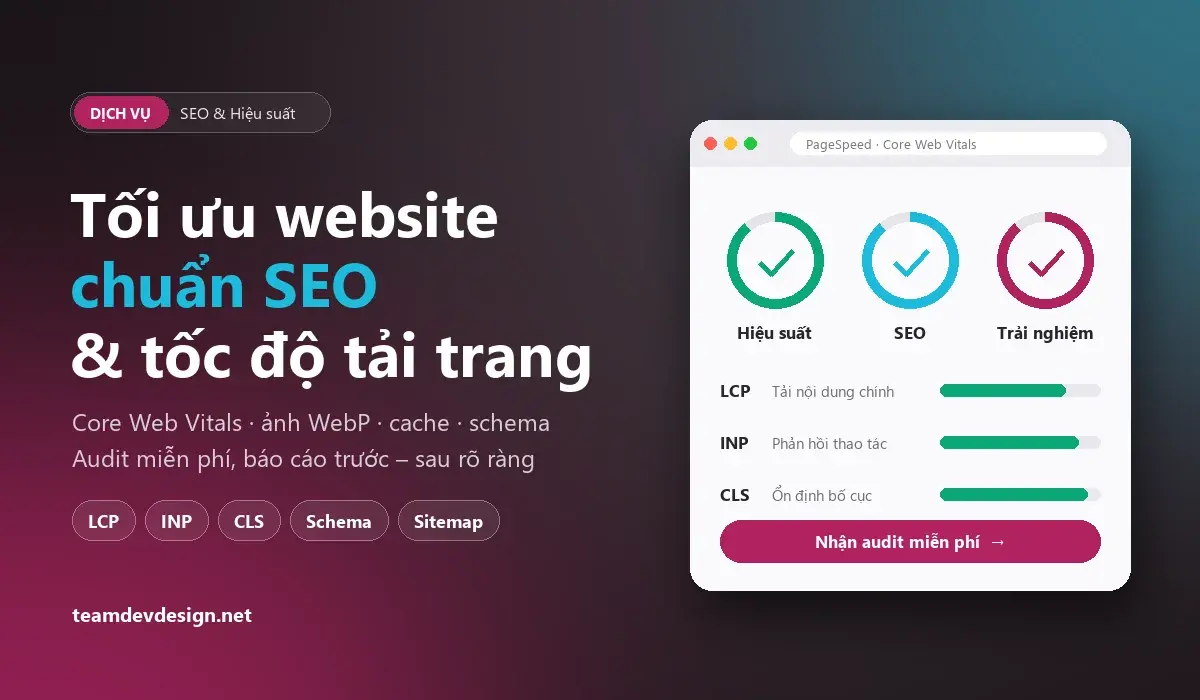
SEO & Page Speed Optimisation Services
A slow website, broken mobile layout or missing basic SEO tags make visitors leave before they see your products, and put you at a disadvantage when Google evaluates your pages. Google uses the Core Web Vitals (loading of the main content, responsiveness to interaction and layout stability) as part of its page experience signals.
TeamDevDesign’s SEO and speed optimisation service (based in Binh Thanh, Ho Chi Minh City, working online with clients everywhere) audits your whole website, pinpoints the specific causes and fixes them directly in the code – from images, CSS/JS and caching to title tags, schema and sitemaps – with before-and-after measurements.
- Free technical SEO & speed audit with a clear report
- Improve Core Web Vitals: LCP, INP, CLS
- Compress images, convert to WebP, lazy-load
- Reduce render-blocking CSS/JS, configure caching & CDN
- Standardise titles, descriptions, H1 tags, schema, sitemap
- Connect Google Search Console & monitor after optimisation
Signs Your Website Needs SEO & Speed Optimisation
- The main content takes more than 3 seconds to appear on a phone over 4G.
- Google Search Console reports “Poor URLs” under Core Web Vitals, or pages that are “Discovered – currently not indexed”.
- The layout jumps while loading, so visitors tap the wrong buttons or ads.
- Images are uploaded straight from a phone at several MB each; many plugins are installed but rarely used.
- Many pages share the same title, lack a description, or have no H1 – or several H1s – on one page.
- Traffic from Google is falling even though you keep publishing.
What We Optimise
| Area | Specific work |
|---|---|
| Speed & Core Web Vitals | Measure with PageSpeed Insights and real-user data; compress images to WebP/AVIF, declare image sizes, lazy-load; defer non-critical CSS/JS; preload key images and fonts; remove unused plugin/theme code. |
| Technical SEO | Fix 404s, 301 redirects, canonical tags, robots.txt and XML sitemaps; handle duplicate pages (filters, search, pagination); check indexability in Google Search Console. |
| On-page SEO | Optimise page titles and descriptions, exactly one H1 per page, heading structure, image alt text and internal links between related pages. |
| Structured data (schema) | Add the right schema – organisation/local business, service, article, product, breadcrumb, FAQ – so Google understands your content. |
| Mobile & experience | Fix horizontal overflow, tiny text and cramped buttons on phones; reduce layout shift; improve contrast and accessibility. |
| Server & security | Enable Gzip/Brotli, HTTP/2 and browser caching; improve server response time; HTTPS and stable platform/plugin updates. |
Optimisation by Platform
WordPress websites
Review plugins and themes that slow the site, replace heavy plugins with leaner options, configure page and object caching, clean the database (drafts, spam comments, transients), convert images to WebP and lazy-load them. For WooCommerce, reduce queries on category and cart pages.
Laravel / Botble CMS websites
Cache config, routes and views; fix N+1 queries with eager loading; use queues for emails and image processing; generate thumbnails at the displayed size; defer CSS/JS not needed above the fold and inline critical CSS.
Next.js / React websites
Choose the right rendering (SSG/ISR for rarely changing pages, SSR for dynamic ones), optimise images with the Next.js image component, split JavaScript bundles, reduce third-party scripts and check INP during interaction.
Our 5-Step Process
- Free audit: measure speed on mobile and desktop, review Search Console and crawl the whole site for technical SEO issues.
- Report & quote: a prioritised list of issues, the work required and the cost in writing.
- Backup & optimise: back up the whole website first; use a staging copy when needed so live visitors are not affected.
- Re-test: measure again with the same tools, compare before and after, and check rendering on multiple devices.
- Handover & monitoring: deliver the results report, show you how to keep the site fast when adding content, and monitor Search Console for 30 days.
What You Receive
- An initial audit report and a results report (before-and-after screenshots).
- A list of all changes made to your website.
- Guidance on publishing and uploading images so the site doesn’t slow down again.
- Google Search Console indexing monitoring for 30 days. For long-term monitoring, combine it with our website maintenance service.
Real Example: Optimising the TeamDevDesign Website
We applied these techniques to teamdevdesign.net itself (Botble CMS – Laravel):
- Projects page images: replaced 1–2.5MB originals with ~23KB WebP thumbnails, lazy-loaded on scroll.
- Animations: the GSAP library loads only after the page has rendered and only on desktop, so it doesn’t affect mobile speed.
- On-page SEO: exactly one H1 per page, rewritten titles and descriptions, an ItemList schema for projects, and noindex on duplicate filter/search pages.
Pricing
The cost depends on the number of pages, the platform (WordPress, Laravel, Next.js…) and the current state of the website. We provide a free audit and a written quote before starting, with no charges outside the agreed scope. If your website needs a redesign or new features, see our website upgrade service; for new website costs, see our pricing page.
Transparency Note
No one can guarantee a fixed ranking on Google: rankings also depend on content, links from other websites, keyword competition and Google’s algorithms. PageSpeed scores are affected by hosting, tracking codes and third-party plugins too. We commit to measurable improvement – every change comes with before-and-after data you can verify.
Frequently Asked Questions
Will speed optimisation change my website’s design?
No. We keep your design and content; we only change how images, code and the server are loaded and configured. If an item would require a design change, we ask you first.
How soon will I see results?
Speed metrics change immediately after optimisation. Real-user data in Google Search Console usually updates after about 28 days; keyword rankings change gradually as Google re-crawls your pages.
Can you optimise a website TeamDevDesign didn’t build?
Yes. We optimise WordPress, Laravel, Next.js and many other platforms, as long as you give us admin or source code access and hosting access.
Does my website have to go offline during optimisation?
No. We back up first, work item by item and check after every change; larger changes are tested on a copy first, so customers can keep browsing and ordering as usual.
Do I need to change hosting?
Not necessarily. If your current hosting is too slow, we will say so in the report with data so you can decide; the choice is always yours.
Want to know what is slowing your website down? Browse our delivered projects, then send us your website link for a free audit or call/Zalo +84 898 614 962.
Share this service:
A better website experience, from design to support

Planning a professional website for your business?
Get a free consultation
0898614962